 By Admin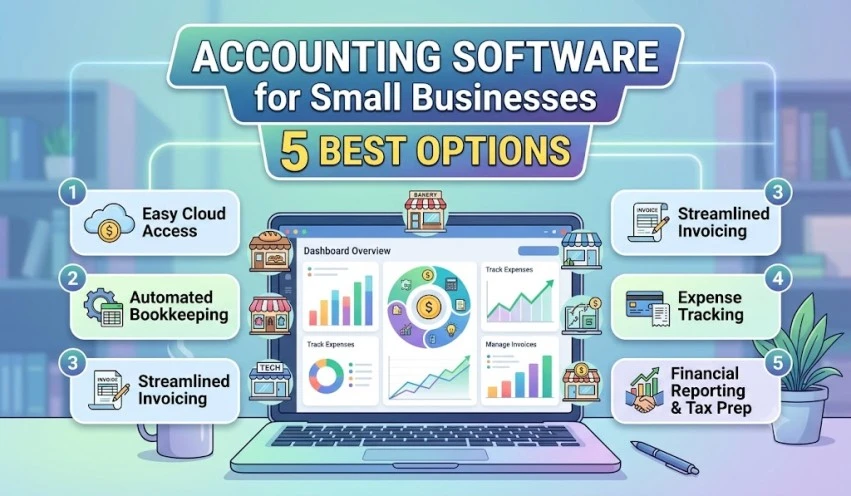
Running a small business means wearing many hats: sales, operations, customer support, and often bookkeeping too. Spreadsheets work for a while, but as invoices, expenses, and tax obligations pile up, they become slow and error-prone. Good accounting software automates the repetitive work, gives you a clear picture of your cash flow, and makes tax time far less stressful.
This guide explains what to look for and compares five widely used options so you can choose with confidence.
Note: Pricing, features, and plan names change frequently, and availability varies by country. Check each vendor’s website for current details before you buy.
Why Small Businesses Need Accounting Software
Manual bookkeeping creates risk. A missed invoice, a duplicated expense, or a wrong tax calculation can cost real money. Accounting software helps you:
- Send professional invoices and track who has paid
- Record expenses and categorize them automatically
- Reconcile bank transactions in minutes instead of hours
- Generate profit and loss statements, balance sheets, and cash flow reports
- Prepare for tax filing with organized records
- Share data securely with your accountant
Cloud-based tools also let you work from anywhere, which suits freelancers, shop owners, and remote teams alike.
Key Features to Look For
Before comparing products, decide what matters most for your business.
Ease of use. If you are not an accountant, you want a clean interface and simple workflows. A tool that feels confusing will not get used.
Invoicing and payments. Look for customizable invoices, recurring billing, payment reminders, and online payment links.
Bank feeds and reconciliation. Automatic imports from your bank save hours every month.
Tax support. Depending on your country, you may need sales tax, VAT, or GST features built in.
Reporting. Standard financial reports should be one click away, with options to customize.
Integrations. Check whether it connects with your payment gateway, e-commerce store, payroll tool, or CRM.
Scalability. Pick software that can grow with you, so you do not need to migrate data in two years.
Support and security. Responsive customer help and strong data protection are non-negotiable.
The 5 Best Accounting Software Options
1. QuickBooks Online
QuickBooks is one of the most recognized names in small business accounting, especially in the United States. It covers invoicing, expense tracking, bank reconciliation, reporting, and optional payroll.
Best for: Growing small businesses that want a feature-rich platform with a large ecosystem.
Pros:
- Wide range of integrations and add-ons
- Strong reporting tools
- Large community of accountants who already know the software
Cons:
- Can feel complex for absolute beginners
- Higher-tier plans cost more as you add users and features
2. Xero
Xero is a cloud-based platform popular in the UK, Australia, New Zealand, and many other markets. It offers unlimited users on its plans in many regions, bank reconciliation, invoicing, inventory options, and a large app marketplace.
Best for: Service businesses and teams where several people need access.
Pros:
- Clean, modern interface
- Excellent bank feed and reconciliation experience
- Strong third-party app marketplace
Cons:
- Some advanced features require add-ons
- Support is mostly online rather than phone-based
3. FreshBooks
FreshBooks started as an invoicing tool and has grown into a full accounting platform. It shines in time tracking, project billing, and client-facing features.
Best for: Freelancers, consultants, and agencies that bill by project or hour.
Pros:
- Very beginner-friendly
- Professional invoices and proposals
- Built-in time tracking and expense capture
Cons:
- Fewer advanced accounting features than QuickBooks or Xero
- Plans may limit the number of billable clients
4. Zoho Books
Zoho Books is part of the broader Zoho ecosystem and is a popular choice across India, the Middle East, and other regions. It supports invoicing, inventory, automation, and compliance features such as GST in India.
Best for: Businesses already using other Zoho apps, or those wanting good value with regional tax compliance.
Pros:
- Competitive pricing with a capable feature set
- Workflow automation and custom reports
- Integrates smoothly with Zoho CRM, Zoho Inventory, and more
Cons:
- Interface can feel busy at first
- Advanced features may need higher plans
5. Wave
Wave offers free accounting and invoicing tools, making it attractive for very small operations. It earns money mainly through payment processing and optional paid services, and feature and regional availability can change.
Best for: Solo entrepreneurs, side hustlers, and micro-businesses on a tight budget.
Pros:
- Free core accounting and invoicing
- Simple, easy-to-learn layout
- Good starting point for new businesses
Cons:
- Limited advanced features and integrations
- Not ideal for inventory-heavy or complex businesses
Quick Comparison
| Software | Best For | Standout Strength |
|---|---|---|
| QuickBooks Online | Growing businesses | Features and ecosystem |
| Xero | Teams and service firms | Bank reconciliation, multi-user |
| FreshBooks | Freelancers and agencies | Invoicing and time tracking |
| Zoho Books | Budget-conscious, regional compliance | Value and automation |
| Wave | Micro-businesses | Free core tools |
How to Choose the Right Software
Start with your business type. A freelancer needs invoicing and time tracking. A retailer needs inventory. A consultancy with a team needs multi-user access.
Set a realistic budget. Free tools help at the start, but paying a small monthly fee can save hours and prevent costly errors. Remember to compare the total cost, including add-ons such as payroll or extra users.
Use free trials. Most paid platforms offer a trial period. Test invoicing, bank connection, and reporting using real data before committing.
Ask your accountant. If you work with a bookkeeper or CA, find out which tools they prefer. Compatibility makes collaboration easier and can lower their fees.
Check regional compliance. Tax rules differ by country. Make sure the software supports local requirements like VAT, GST, or sales tax.
Plan for growth. Consider whether you may add employees, multiple currencies, or inventory in the near future.
Common Mistakes to Avoid
- Choosing based on price alone. The cheapest option can cost more if it lacks features you later need.
- Skipping setup. Properly configure your chart of accounts, tax settings, and bank connections at the start.
- Not reconciling regularly. Reconcile weekly or monthly so errors do not build up.
- Ignoring backups and security. Use strong passwords and two-factor authentication.
- Mixing personal and business expenses. Keep a separate business bank account to simplify records.
Final Thoughts
The best accounting software is the one you will actually use consistently. QuickBooks Online suits businesses that want depth and growth room, Xero works well for collaborative teams, FreshBooks serves freelancers and project-based work, Zoho Books offers strong value with regional tax support, and Wave gives newcomers a free way to get organized.
List your must-have features, try two or three platforms with free trials, and involve your accountant before deciding. Spending a little time on the right choice now will save you hours of manual work and many headaches later.